I wonder if I put a few words here?

Category: Multimedia Learning

FINAL PORTFOLIO

As we come to the end of this course, I’ve taken time to reflect on my progress: how I met the learning outcomes, the challenges I faced, and how this experience will influence my future career choices. I’ve gathered all these reflections into this piece, which represents my learning journey throughout the term. This is my final portfolio.

How Learning Informs Interactive and Multimedia Experiences

In the words of John Dewey, If we teach today’s students as we taught yesterday’s, we rob them of tomorrow (Cobb, 2022). This reminds us that educational tools must continually evolve, moving beyond simple, traditional materials towards designs that intentionally support learners’ cognitive processes. At the start of this course, we examined Mayer’s Cognitive Theories of Multimedia Learning.

These theories showed me how easily poor design can overwhelm working memory, and how intentional choices can support better understanding. I began noticing this everywhere: in my daily creates, in the way I structured my own multimedia story, and even in how I gave peer feedback. Mayer’s principles helped me understand not just what to design, but why certain approaches work better for learners. Overall, this taught me to see the “nooks and crannies” of multimedia design and to recognize how thoughtful choices can make learning clearer, more engaging, and more effective.

Applying multimedia design principles in planning my educational resources.

When designing educational resources, we have to be really careful about how we apply Mayer’s principles, because many instinctive choices can make learning more difficult rather than effective. So when I was designing my multimedia story, I kept going back to my notes to make sure I was giving viewers the most effective experience.

In the draft stage, I was deliberate in mapping out my narrative and deciding how I would retell it to viewers. I intentionally avoided creating cognitive overload by keeping the structure simple and ensuring that every element served a purpose. I was also intentional about the types of media I chose—text, images, and video. This aligns with Dual Coding Theory and the Multimedia Principle, since combining visuals with text supports deeper learning.

In the final version, I focused on clarity and flow. I applied the Segmenting Principle by breaking the story into smaller, manageable sections so learners could process information at their own pace. I also used the Coherence Principle by removing unnecessary details and keeping only essential text, images, and video clips. These choices are clearly demonstrated in my final multimedia story post, where the improvements from draft to final show how my understanding of multimedia design principles strengthened my planning (Multimedia Draft) (Multimedia Final).

Design Thinking in Multimedia Learning Projects

I finally understood the design‑thinking process when I was transitioning my multimedia story from the draft to the final version. I noticed myself naturally using a backward design approach, which I first learned about in our course notes (Design Thinking Notes): I started with a clear goal and let that guide every decision I made. My goal for the multimedia story was to create a truly immersive experience for all viewers. I outlined this in my draft, and as I moved into the final version, I kept asking myself whether each choice supported that outcome. Choosing video over audio and using a conversational tone are some of the choices that supported this goal.

One thing I found myself doing repeatedly was iterating. I wrote my final version over several days, constantly returning with new ideas and better ways to express key moments. Each time I revised, it felt like I understood my story and my design choices better. Looking back, I can see that I moved through the entire design process: I understood what I wanted to achieve, I planned out how to get there, I tried different approaches, and I reflected on what worked and what needed improvement.

Applying storytelling principles to create effective learning opportunities.

The storytelling notes from class helped me understand how powerful storytelling can be in learning (Storytelling Notes). They explained how tone, mood, and word choice influence how a viewer connects with a story, and this made me more aware of the choices I was making in my own work.

One principle that stood out to me the most was Show, Don’t Tell. I used this throughout my daily creates (Daily Creates), where showing what I did through visuals often communicated the experience better than just describing it. This same idea guided my decisions in my final multimedia story. When I was choosing which media to keep, I focused on pieces that actually showed the moment or helped the viewer feel what I felt. If something didn’t support that, I left it out. Tone and mood also played a big role in shaping my final story. Since it was a reflective piece, I had to make sure the writing and the media matched that feeling. The whole process showed how tone and mood complement each other, and that understanding helped keep my piece consistent.

Principles of effective interactive multimedia design.

To apply the principles of effective interactive multimedia design, I first had to fully understand them, and once I did, I found myself instinctively using them in several areas of my work. I saw this in my daily creates, one specific example is the meaningful object daily create (DC- June 1st-7th). For that task, I had to show an image of an object that had meaning to me; once I chose the image I wanted to use, I immediately knew I needed a short write‑up so the reader would understand the context behind it. The multimedia principles helped me decide how to write that explanation: what I included, what I left out, and the tone I used. This is only one of several instances where I found myself applying these principles naturally, and understanding them made it easier to create work that felt intentional, consistent, and clear for the viewer.

Creating a Variety of Prototype Artifacts

Throughout this course, we used various educational tools, and the first one we worked with was this webpage. At first, I didn’t realize how helpful it would be, but as I used it more, I saw how giving a learner space to practice while being taught can really support improvement; I actually noticed this in myself. As we moved through the course, I found myself engaging in more forms of creative output. I worked with several visual pieces through my daily creates, and experimented with various tools for my multimedia story— things I’m not used to (Daily Creates). The class we had on user interface and design with Paul Hibbitts tied everything together, showing how much freedom we have to experiment with our tools and design something that fits the story we want to tell. Overall, creating different prototypes helped me understand how flexible multimedia can be and how much creativity it allows when you’re willing to explore it.

Appropriate use of GenAI

Throughout this course, I was intentional about using GenAI only as an educational support tool rather than relying on it to generate my ideas. Many of the tasks we engaged in — the daily creates, the stories, and even this final portfolio — were very personal and needed human ideas, something AI cannot offer. My creative pieces came directly from my own experiences and thoughts. I used AI in a strictly supportive way: mainly to help tighten my writing and clean up spelling or punctuation. An example of this would be my multimedia story final, where I wrote the full piece myself and then used AI to recheck spelling, punctuation, and polish grammar. My goal was never to have AI create anything for me, but simply to use it as a tool to review the work I had already done.

Challenges I faced throughout the course

One of the main challenges I faced throughout this course was applying the redundancy principle and learning to cut out unnecessary elements in my work. I tend to over‑explain, so simplifying my writing and visuals was definitely a step outside my comfort zone. With more practice, I started getting better at recognizing what was essential and what wasn’t.

Another challenge was keeping up with the daily creates. I’m not naturally creative, and my art skills are fairly minimal. So when we were asked to make things involving audio or visuals, it was fun, but it was also very new to me. I often overthink these kinds of tasks, but repeated practice helped me loosen up and just try things without worrying too much about perfection.

Overall, these were the two greatest difficulties I faced, and consistent, repetitive practice is what helped me overcome them.

How This Learning Experience Supports My Future

This course has been a very enlightening one for me. This course reminded me that even as educators, we never really stop learning. It taught me how to design educational tools that enhance the cognitive abilities learners already have, rather than overwhelm them.

In terms of my future career, this experience will make me much more deliberate in how I approach education. Having been a TA before, I now look back and realize how much better I could have supported my students if I had understood these principles earlier. Moving forward, when I’m given similar opportunities, I’ll be far more intentional about how I design learning experiences and how I communicate information.

One thing I’ve already started applying in my daily life is the storytelling principles we learned. I didn’t realize how much the way you tell something can shape the engagement and understanding of the listener. Whether in future courses or in my career, I know I’ll carry these lessons with me as I continue to step into the world of education.

References

Cobb, M. (2017, February 17). “If we teach today’s students as we taught yesterday’s, we rob them of tomorrow.” Passions, Ponderings. https://www.passion-pondering-practice.com/post/if-we-teach-today-s-students-as-we-taught-yesterday-s-we-rob-them-of-tomorrow

Granchelli, A. (2025). Theories of Multimedia Learning – EDCI 337. Edtechuvic.ca. https://edtechuvic.ca/edci337/2025/09/05/theories-of-multimedia-learning/

Olukareh, T. (2026). TENIOLA’S STORY – I wonder if I put a few words here? Opened.ca. https://teniolagivesclues.opened.ca/
Daily Creates June 15th – 22nd

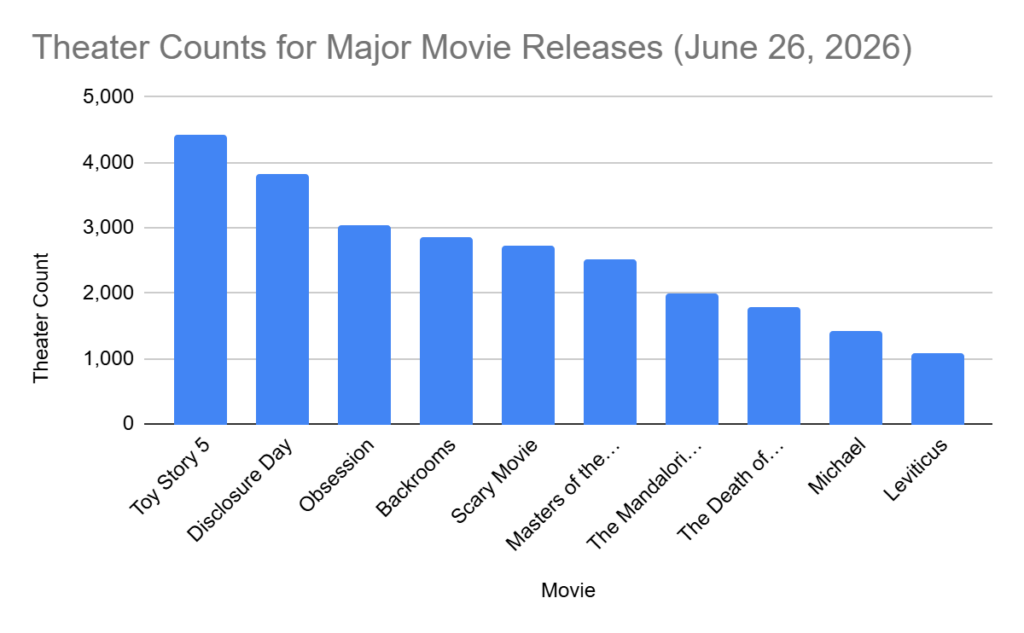
For this Daily Create, I used a bar chart to show data from previously established research. I chose to use a bar chart because it felt like the clearest way to highlight the differences between the values. In class, we looked at examples of really poor data visualizations, and that helped me understand what makes a chart confusing or misleading. Connecting this to Mayer’s multimedia learning theory, a simple bar chart reduces unnecessary cognitive load by avoiding extra visual clutter and keeping the focus on the actual information. Mayer emphasizes that learners process information better when visuals are clean, purposeful, and not overloaded with irrelevant details. That’s exactly what I tried to do; keep the design minimal so the viewer’s working memory is focused on the data itself, not on decorative elements.

One part I didn’t expect was how difficult it would be to find raw data that wasn’t already visualized. It took time to locate a credible source that provided numbers I could actually use. After a bit of a scavenger hunt, I decided to go with the theatre counts for major movie releases, since that information was available in a simple numerical format. I used Google Sheets, entered the data into two columns, and then used the Insert and Chart option to generate the bar chart.

Overall, I’d say that finding the information was the biggest part of the task. It made me realize how intentional you have to be when choosing the right mode of data visualization. This connects directly back to class discussions: the chart isn’t just about displaying numbers, it’s about supporting understanding. Mayer’s theory really clicked for me here, because the whole point is to design visuals that help the viewer learn without overwhelming them. A bar chart fit my dataset and kept everything straightforward, which is exactly what good multimedia design should do.

Multimedia Story: A walk down Dallas Road

Dallas Road Waterfront Trail
Image source: Maritime Museum of British Columbia

Narrating My Process: What I Did and Why

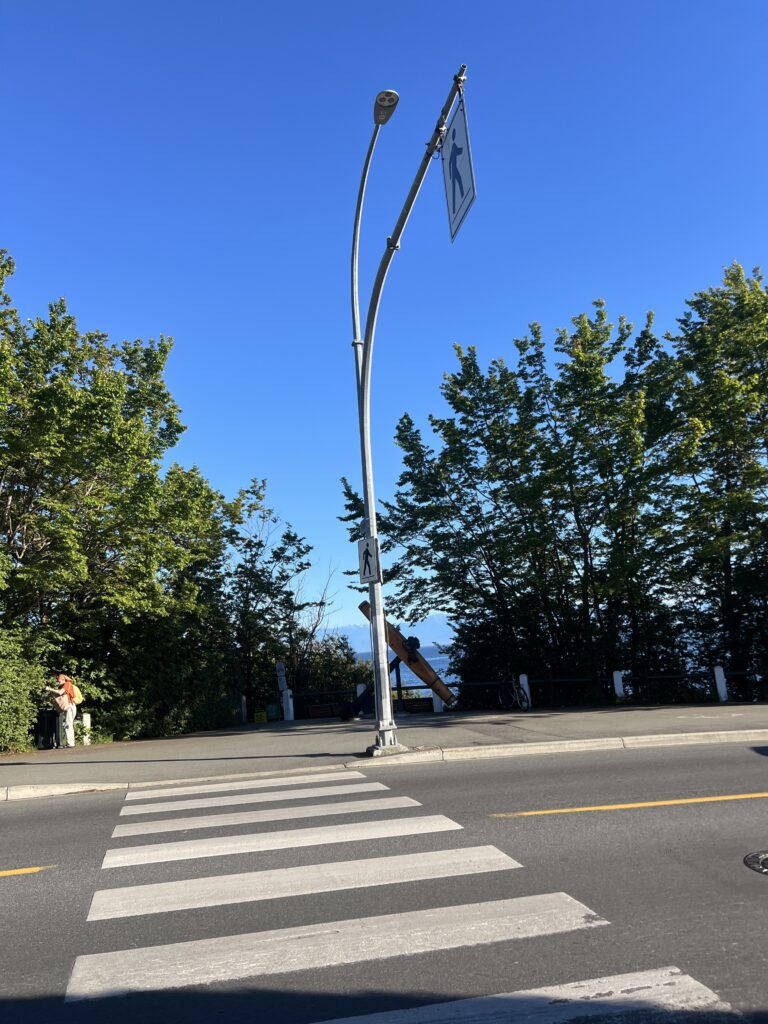
Equipped with my Crocs, phone, a bottle of water, and my journal, I felt like I had everything I needed for the journey. I began my walk at the street level, the unofficial starting point before the land opens toward the water. From there, I followed the path along Dallas Road, moving from point to point with the intention of fully experiencing each place. I didn’t approach the walk with a rigid strategy; it was meant to be simple and intuitive. Still, I set a personal goal to reach every major lookout along the route. In the end, I made it to four, and I could see Ogden Point in the distance, which still felt meaningful.


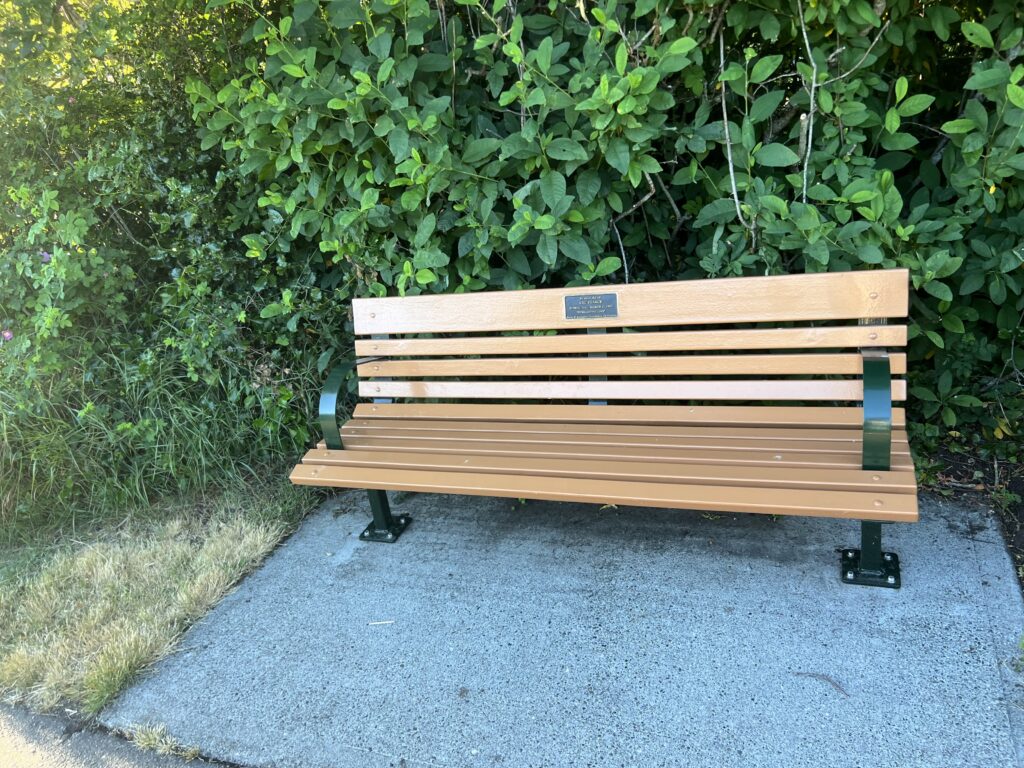
At the beginning, my pace was faster than I expected. There was so much to take in: the light shifting across the water, the movement of people, and most of all, my determination to find the perfect point to observe the sunset gave me an internal clock. But as I continued, the walk naturally slowed me down. I noticed benches tucked into the landscape, some almost hidden behind the trees. As I got closer, I realized most of them were dedicated to people who had once sat here and observed this same ocean view. When I finally stopped at one, it made me realize I didn’t actually need to rush anywhere. Sitting there for a moment, I let myself breathe and just take in the view. Those little pauses reminded me that the walk wasn’t something to finish quickly — it was something to actually experience.


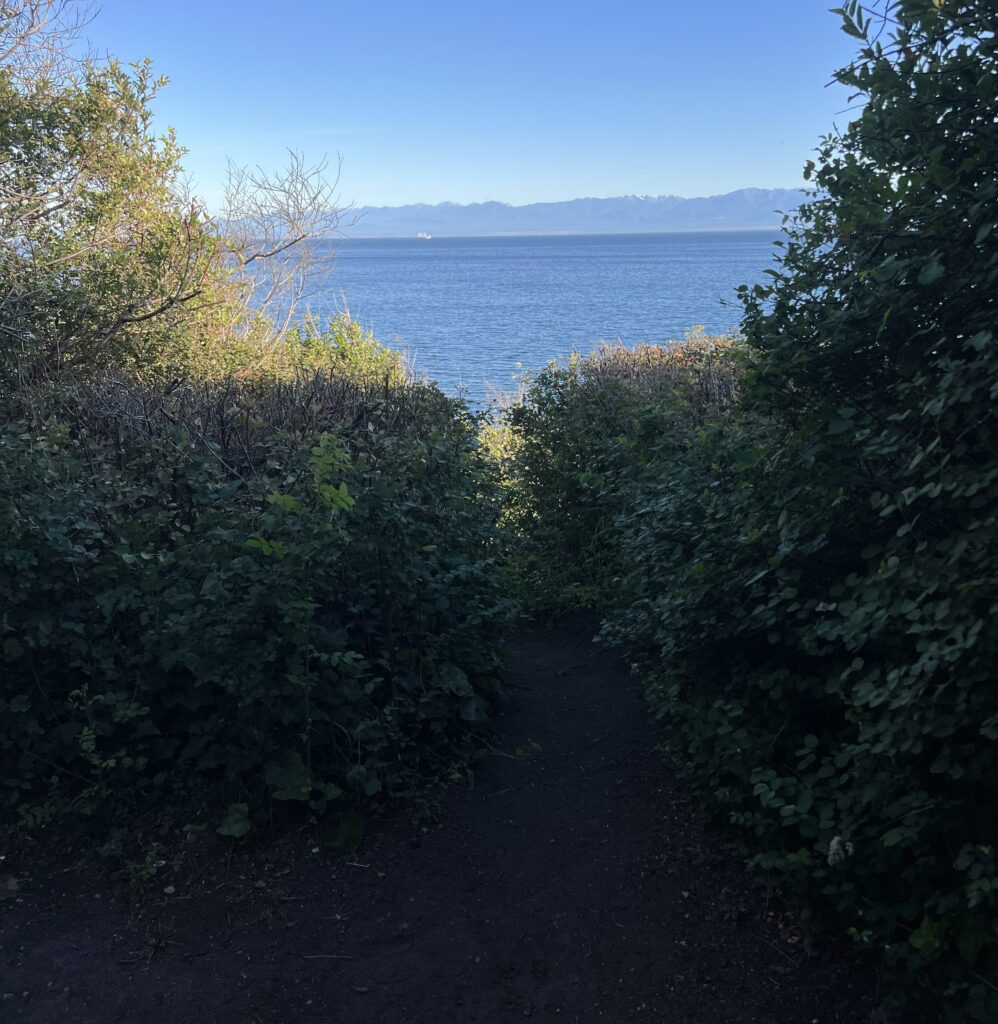
Along the way, I saw a few narrow shortcuts leading down toward the rocks. They were steep and uneven, and although part of me was curious, I chose not to take them — missing this due date was simply not an option for me.

Each point offered a different angle of the ocean, a different feeling in the air. Looking at the wide, open water reminded me just how small we are compared to everything around us. Each point was as beautiful as the next, and taking it all in made the walk feel genuinely meaningful. When I finally reached Holland Point, everything seemed to settle: the pace, the light, even my own thoughts. I chose that spot to watch the sunset; I could finally sit, relax, and journal.


The Experience

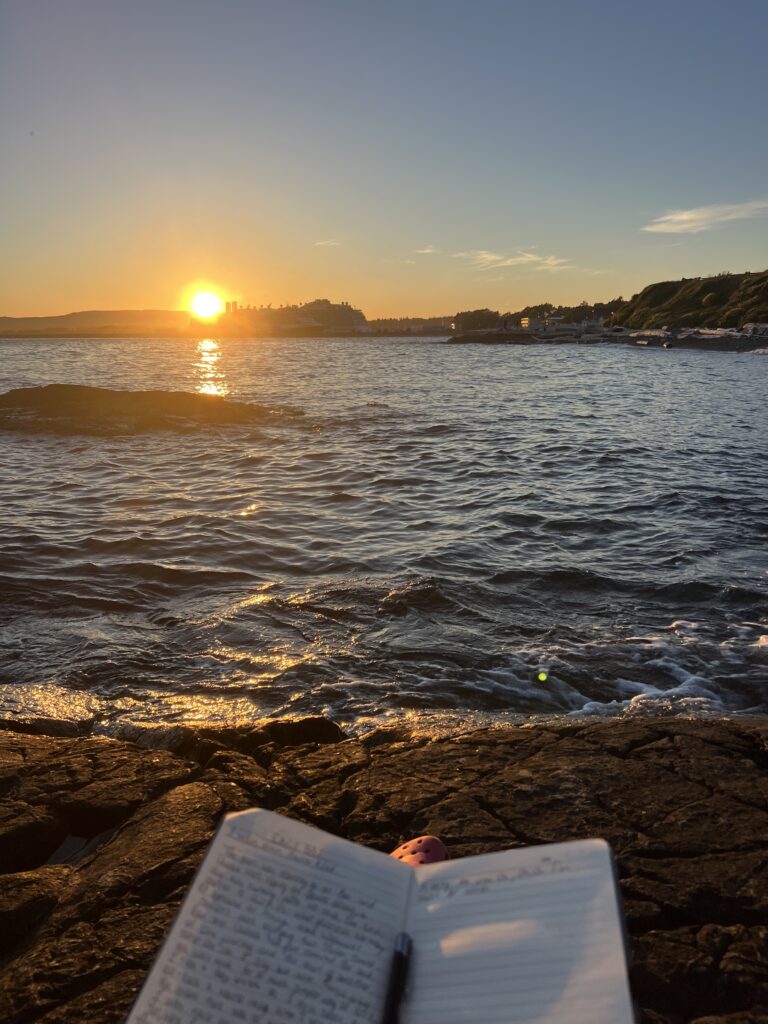
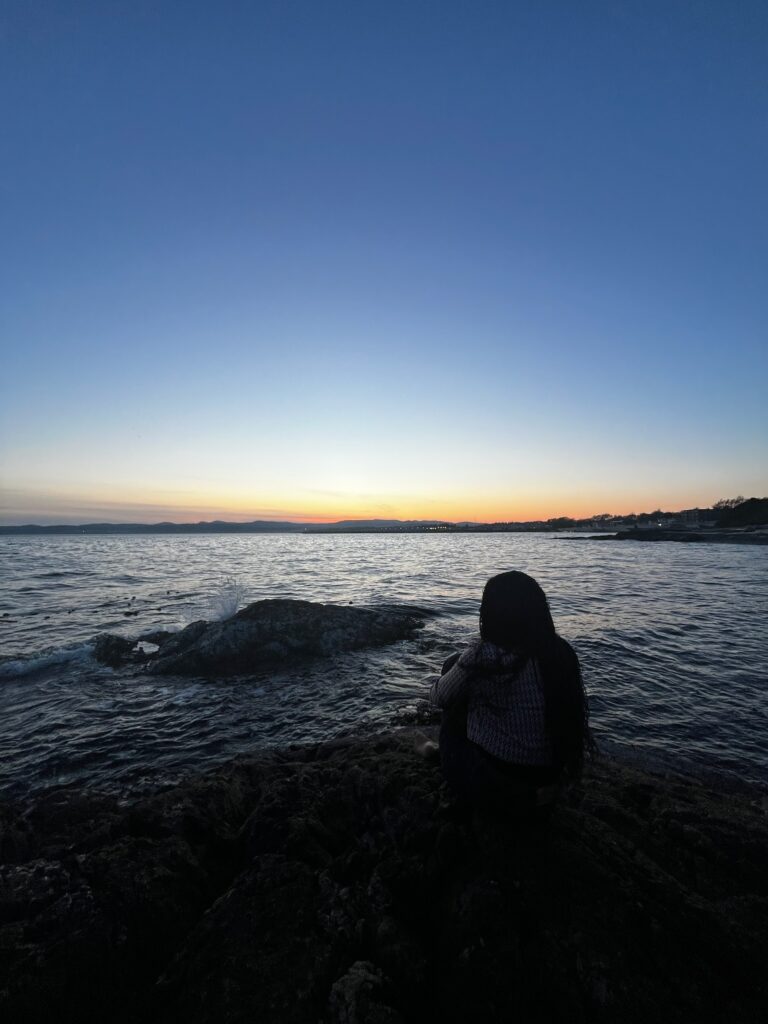
I chose a rock at Holland Point as my spot to observe the sunset. As I was looking for a place to sit, I walked past Ben and Chelsea, who were already deep into their djembe session. They told me they had frequently played together about twenty years ago and that they had only just reconnected. If they sounded this good now, I could only imagine what they were like then.

Ben and Chelsea ripping their djembes, a dog chasing after a stick with endless excitement, the birds starting to call out as the evening settles in, and the waves crashing against the rocks; it felt like something straight out of a movie, creating a harmony that almost didn’t feel real. This is what humans were made for: a much simpler way of life. This is exactly why I chose Dallas Road; in such a noisy world, it gives me space to put everything into perspective. I take a deep breath and try to savor it all, taking a mental image. When I had to leave St Kitts, there was so much uncertainty. I truly thought I was never going to see the ocean again. Yet here I am. What a privilege it is.

The time is 8:53, and it looks like the sun is finally starting to set. Oh, what a beauty. Holland Point begins to fill with more people coming to enjoy the view. All so different yet so alike. Different ages, genders, and races, all connected by the sheer beauty of the ocean shore. It’s one of those rare moments where you can actually feel what presence means, where the world slows down just enough for you to notice the small things that usually slip by.

As the sun fades behind the ship, I tell her goodbye — and who’s to say she can’t hear me. I end the day listening to “Pearls” by Sade. She sings, “She lives a life she didn’t choose,” a line that sits heavily with me. Under the same sky where I am in awe of the peace and beauty I get to enjoy, someone else has not eaten in days. There are forty-six abducted children and government officials in Nigeria who long to see their families again. There are women who no longer have freedom of speech. How did it ever get this bad?

I want to live in the moment, but how can I when this exact moment is so different for so many? It is a weight I carry, a burden I should not have to bear, yet it sits with me all the same — a reminder of how uneven the world is, even under the same sunset.


Integrating Peer Feedback

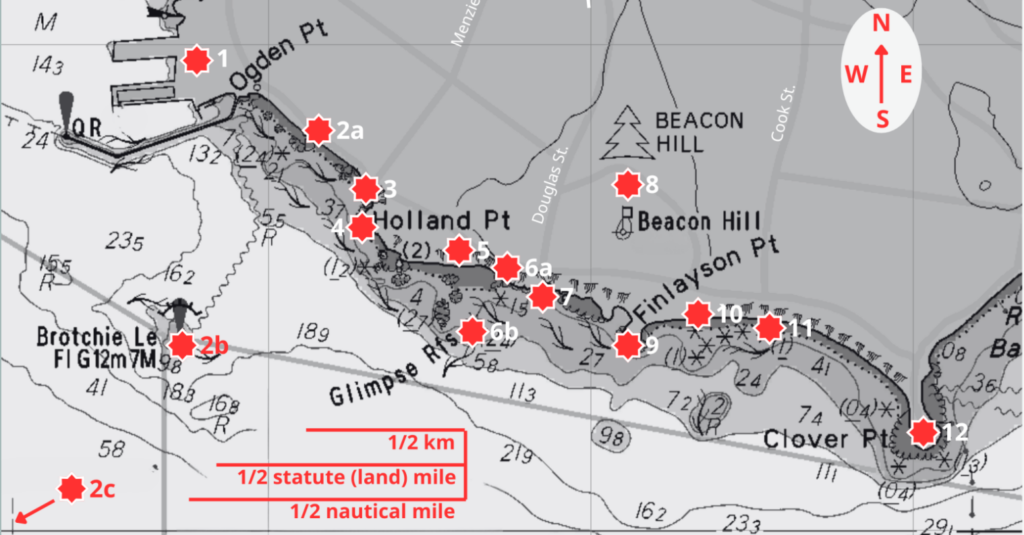
One of the suggestions from my peers was to include a map of my route. This was an amazing idea I had honestly never considered; I didn’t hesitate to include it. It immediately made sense, it added clarity, grounding, and a visual anchor for the reader. I’m genuinely grateful for this suggestion, and I made sure to thank my peer for giving me such a helpful tip.

Another piece of peer feedback suggested that I include audio recordings of the birds, waves, or other ambient sounds from my walk. I really appreciated this idea, and I actually gave it a try by recording several short audio clips during the walk. However, I ultimately decided to use video instead. The video format still allowed viewers to connect with the natural sounds, but it provided a richer sense of place through movement and visuals.


How My Media Choices Align with Mayer’s Theory of Learning

Pre‑training: I included a map at the beginning of my blog, which was actually a peer suggestion I immediately adopted. Adding the map gave readers a chance to understand the key locations before entering the full narrative. This helped them build a mental model of what I was doing and where the experience took place, making the rest of the story easier to follow.

Personalization Principle: I was very intentional in how I wrote the text. I used a conversational, human tone so the reader would experience the piece as an actual story rather than an academic essay. This approach helps readers feel more connected to me and to the moment I’m describing.

Contiguity Principle: I placed the map, images, and video directly beside the sections of text they relate to. This way, readers don’t have to scroll back and forth or mentally guess which visual matches which part of the story. The proximity between text and visuals helps them make immediate, natural connections between what they are reading and what they are seeing.

Segmenting: I structured my blog into clear, manageable sections so readers could move through the experience at their own pace. Breaking the content into segments made the narrative easier to process and reduced cognitive overload.

Coherence Principle: I originally wrote and observed much more during my walk, but I chose to cut out details that didn’t directly support the main experience. I also avoided adding extra visuals that might distract or overload the reader. Keeping only the most meaningful elements helped maintain clarity and focus.


Final Summary

This project really helped me slow down and pay attention in a way I normally don’t. It made the class feel more hands‑on, and it pushed me to actually apply what we were learning instead of just reading about it. Thinking about things like media choices, observation, and reflection while I was out on the walk made the course material make a lot more sense. I started noticing how small decisions, like where I put an image or how I word something, actually affect how someone understands an experience. It made the class feel more practical and less abstract.

I’d honestly recommend this spot to anyone. People use it for everything: graduation photos, date nights, exercising, or just hanging out and enjoying the evening weather. There’s always a mix of people around, but it still feels relaxed and easy to be in.

Below is a short video clip of my whole walk. Capturing the moment just as I experienced it :

Daily Creates June 8th – 15th

SUMMARY

Across these three Daily Creates, I started to see how some of Mayer’s multimedia learning ideas showed up in what I was doing. With the miniature‑people story, I was using the dual‑channel principle because I had to look at the picture and then build the story in words, which made me process both at the same time. The meme activity connected to the coherence principle since I had to choose text that actually matched the image without adding anything extra that would distract from the message. And the tongue‑twister recording fit the modality principle because it relied on audio instead of visuals, which made me focus on how I was speaking and how clearly the message came across. Doing these three activities helped me see how different types of media can support learning in different ways. It also made me realize how these same principles could guide the design of educational tools — using the right mix of visuals, text, and audio so learners stay focused and actually understand the material.

#tdc5238 #ds106 #dailycreate #ds106 Find the miniature people in your place, piccture one and tell the story

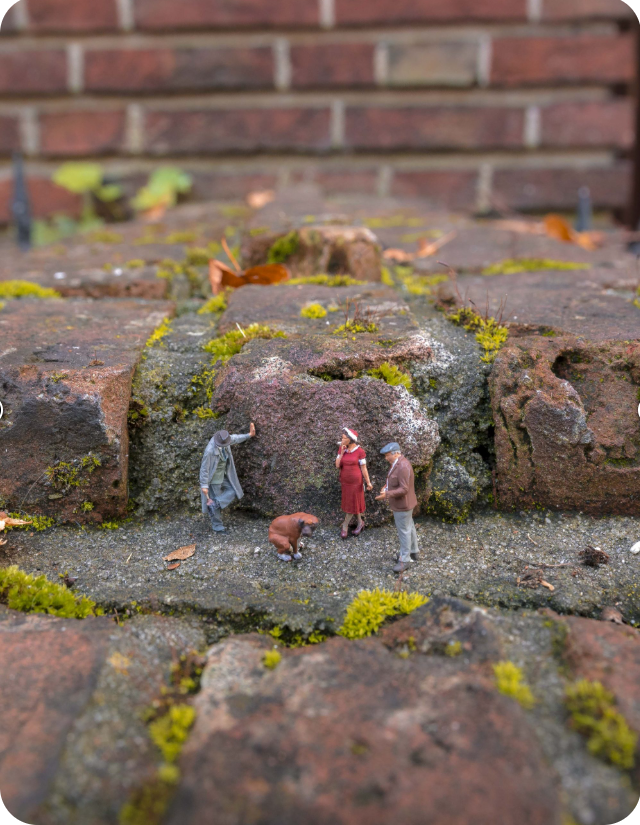
This daily create asked us to find some miniature people, picture them, and tell something imaginative about meeting them. This is my picture and how I encountered the people :

I was just going about my day as usual, taking a stroll in the park. Then I heard barking, it was faint, but definitely there. I turned around, imagining a dog was coming my way; I adore dogs: big or small, friendly or aggressive; all shapes and sizes, I love them all. I turned back and still didn’t spot the dog. I did a full 360 because the sound was becoming more audible, so I thought maybe it was ahead of me, but still nothing. Coincidentally, probably because I was confused, I dropped my keys. I bent down to pick them up as I normally would, and that’s when I heard the barking the loudest. I looked forward, still crouched down, and that’s when I was in awe. I saw a dog and three miniature people, all going about their days as usual. A lady was taking a smoke, a man seemed to be getting something off the bottom of his shoe — “Darn it,” he said. I could’ve screamed at that moment. The man seemed to be waiting on his dog as it hadn’t gone to poop yet. I said a quick “hi guys,” and they said hello back as though this was a frequent occurrence. Although I was in shock, I chose to pick up my keys and keep moving. Maybe I’m the odd one out — what if we’re all meant to be miniature people, and I’m just a giant?.

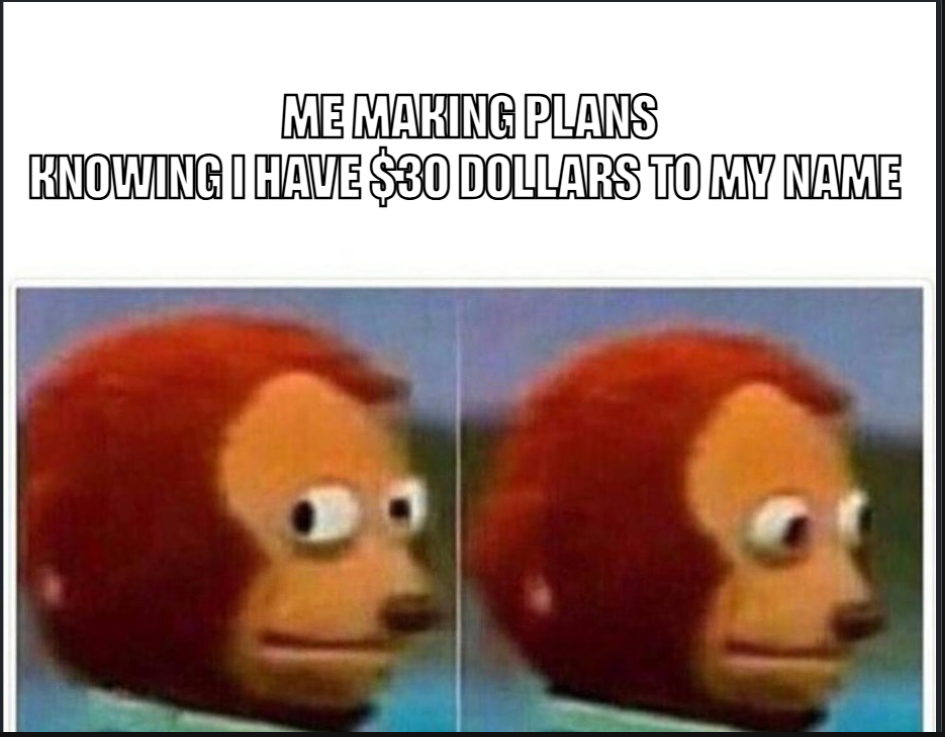
#tdc5201 #ds106 #dailycreate It’s silly Friday – go make a meme, silly!

This Daily Create asked us to make a meme in celebration of “Silly Friday.” It gave us this meme generator Joe’s meme generator, and it was a pretty easy process. You get a selection of already‑generated images, and all you do is add the text. You can also upload your own image as well. I have some photos of my friends that I would love to make into memes, but unfortunately, if I post them on here, I don’t think we’ll be friends anymore. In all, it was a fun, enlightening process, and that’s one more website I now have access to. This exercise really helped me try to find words that match the moment. It may be funny, but with so many pictures, you have to be very specific about which one matches the message you want to get across.

#tdc4435 #ds106 The 1 Take Tongue Twister

This Daily Create challenged us to record an audio or video of ourselves reciting a tongue twister on our first take. I was able to capture this, and honestly gave it my all. I’ll let the audio speak for itself; you can find the audio recording here:
View on Vocaroo >>

Daily Creates June 1st – June 7th

SUMMARY

This week’s Daily Creates helped me explore my creativity and step out of my comfort zone, and most of all they helped me practice parts of Mayer’s theory of learning without even realizing it at first. Sharing the photo of the shell connected to the multimedia principle because the picture did most of the work in telling the story, and the short explanation just supported it. Drawing the space animals fit with active processing since I had to make choices, imagine details, and figure things out as I went, which kept me involved instead of just looking at something. Completing the unfinished picture matched the personalization principle because I approached it in my own way and let my instincts take over, even when the drawing turned into something totally different from what I expected.

Doing these activities made me think about how I could use the same ideas when designing educational tools. The multimedia principle reminded me that sometimes a single strong image can communicate more than a long explanation, so I’d want to include visuals that actually support the message instead of distracting from it. The active processing piece showed me how important it is to give learners chances to make decisions, try things out, and create meaning for themselves instead of just reading or watching. And the personalization principle made me realize how helpful it is when learners can respond in their own way, using their own style or instincts. Putting all of that together, I can see how using meaningful images, open‑ended prompts, and space for creativity could make educational tools feel more engaging and easier to understand.

#tdc5143 #ds106 Meaningful object
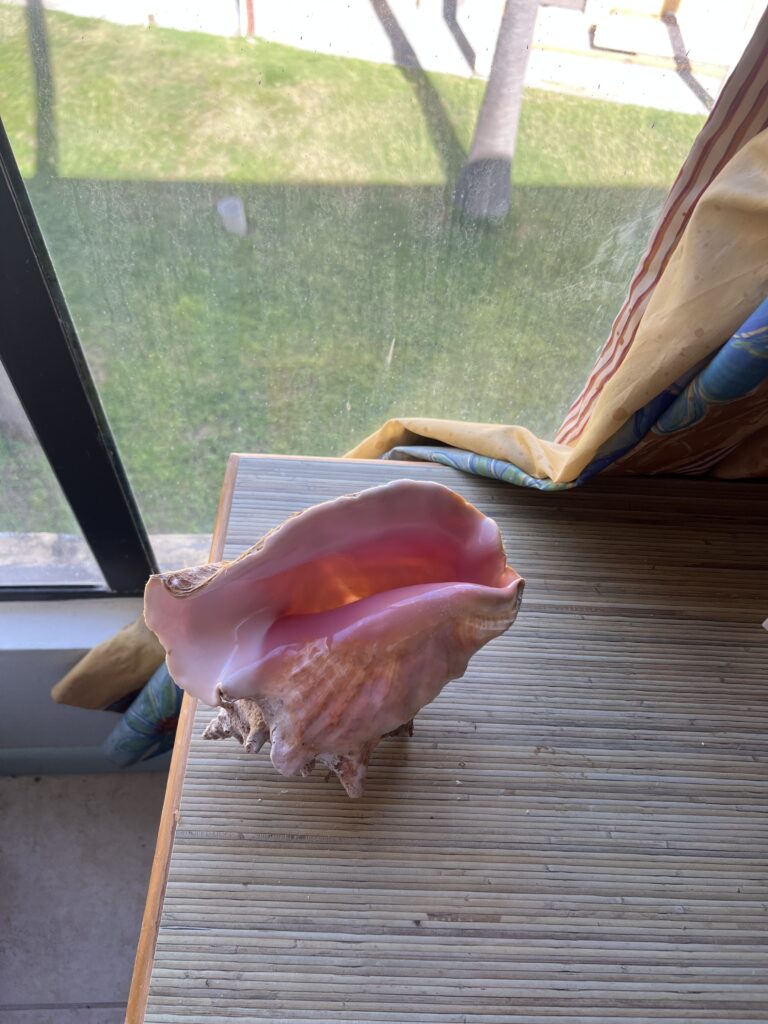
This Daily Create asked us to share a picture or drawing of a meaningful object. I chose this shell. Last week, I wrote about a man I met on the beach in St. Kitts and Nevis, and he’s the one who gave it to me. It became the most beautiful piece I’ve ever owned. Although it doesn’t hold emotional significance in the traditional sense, I was in awe of the pure kindness and selflessness it took to give me something so beautiful as a gift. Unfortunately, I had to leave it behind when I left the island, but I still cherish this picture today.

#tdc5120 #ds106 Space animals

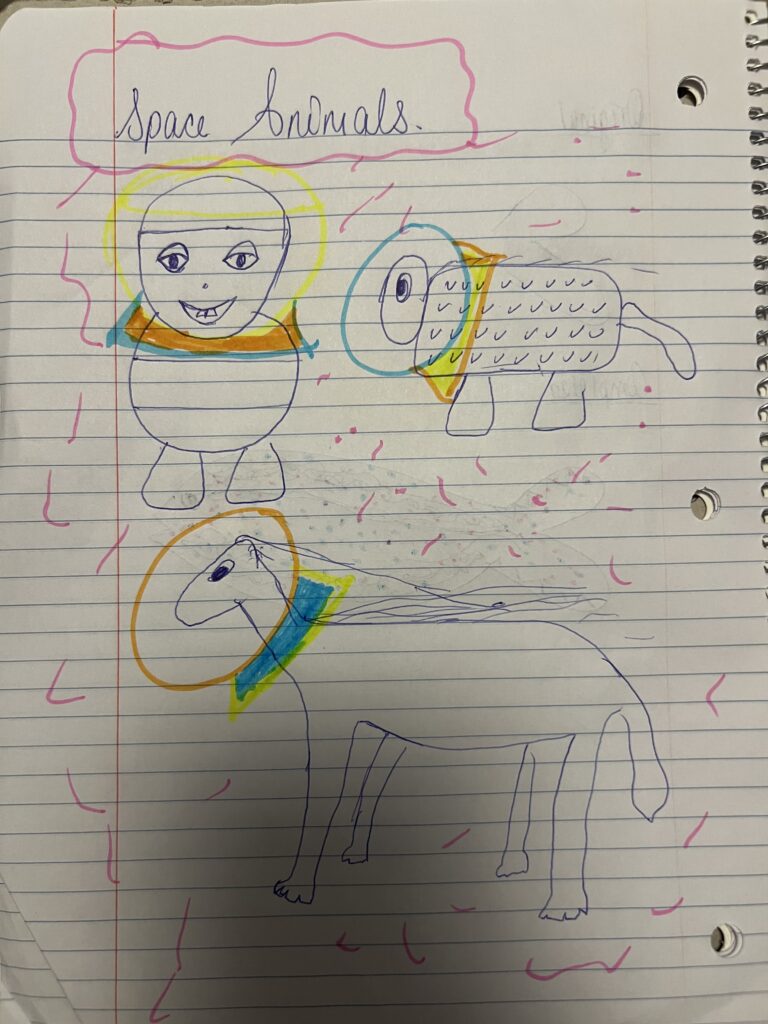
This Daily Create asked us to draw space animals and imagine what they might look like or how they might move. While my art skills aren’t exactly museum‑worthy, my space animals turned out pretty fun. I started by trying to draw a panda, that’s what the first animal in the top left was originally meant to be. For some reason, a panda was the first creature that came to mind. As I kept drawing, I realized not everything had to be logical. I could just let the weirdness happen and enjoy the creativity of it.

#tdc4581 #ds106 Complete the picture

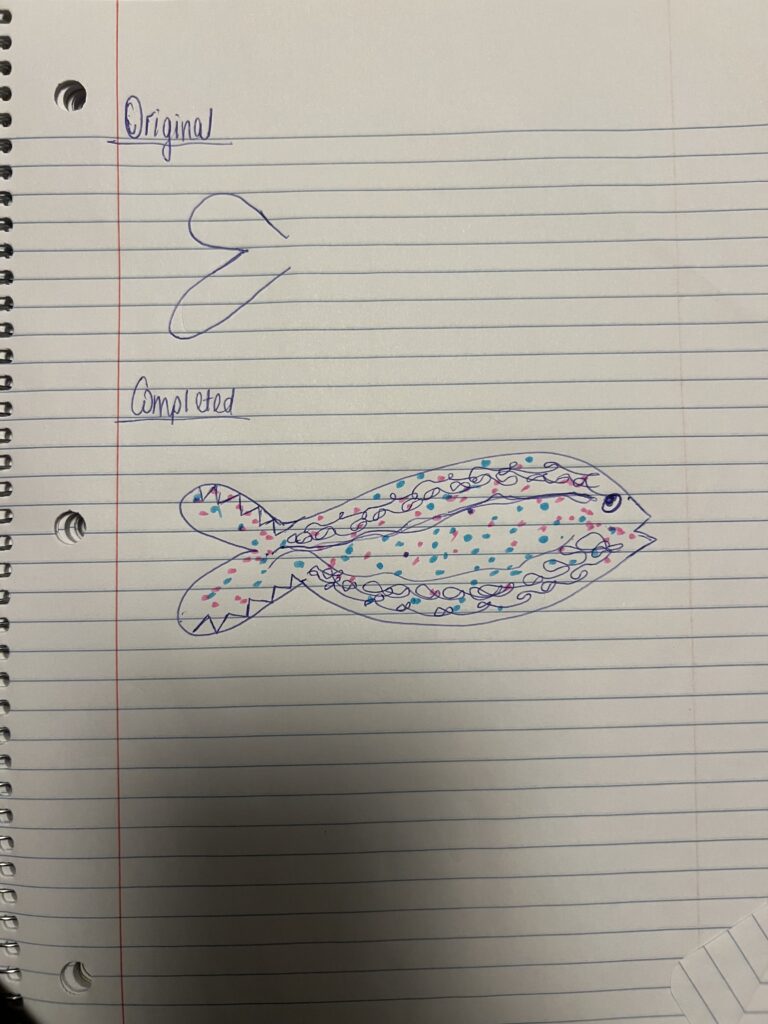
This Daily Create asked us to complete the drawing. At first, when I saw the unfinished picture, I immediately thought of a butterfly. But once my own pen hit the paper, I somehow ended up drawing a fish instead. It’s funny how instinct works. I don’t even draw fish normally, so I’m not sure where that came from. Still, it was fun to see how the drawing took on a life of its own. As you can probably tell from the quality of my drawings, I don’t usually dabble in art. But these prompts were genuinely fun, and they pushed me to try things I normally wouldn’t. I might practice more and try to upgrade my skills.

Daily Creates May 25 – 31

SUMMARY

This week’s Daily Creates pushed me to experiment with sound and audio in ways I’ve never tried before. Making my own beats on the 108 website was completely new to me, and even though it was harder than I expected, it helped me understand how much trial‑and‑error goes into creating something that actually sounds good. Turning regular words into jazz was chaotic in the best way, and using one of my favourite memories made it even better. Creating an audio quote also gave me a chance to practice recording my voice and thinking about how sound alone can communicate a message. Overall, these Daily Creates helped me get more comfortable working with audio tools and expressing ideas in different formats.

Working with audio this week also helped me see how some of Mayer’s learning principles showed up in what I was doing. Making the beat connected to active processing because I had to keep testing sounds, adjusting patterns, and figuring out what actually worked, which kept me fully involved instead of just listening. Turning my words into jazz tied into the modality principle since the meaning came through sound alone, and I had to think about how audio can shape a message without any visuals. Recording the audio quote lined up with the voice principle because using my own voice made the message feel more personal and natural, which is exactly what Mayer says helps people connect with what they’re hearing.

Seeing these principles in action made me realize how useful they could be when designing educational tools. The modality principle showed me that audio can make certain ideas clearer than text, especially when tone or pacing matters. Active processing reminded me to include opportunities for learners to experiment and make decisions instead of just listening. And the voice principle made me see how using natural, human‑sounding narration can make learning feel more personal and easier to connect with

#tdc4546 #ds106 Make A Browser Beat – Share a Browser Beat

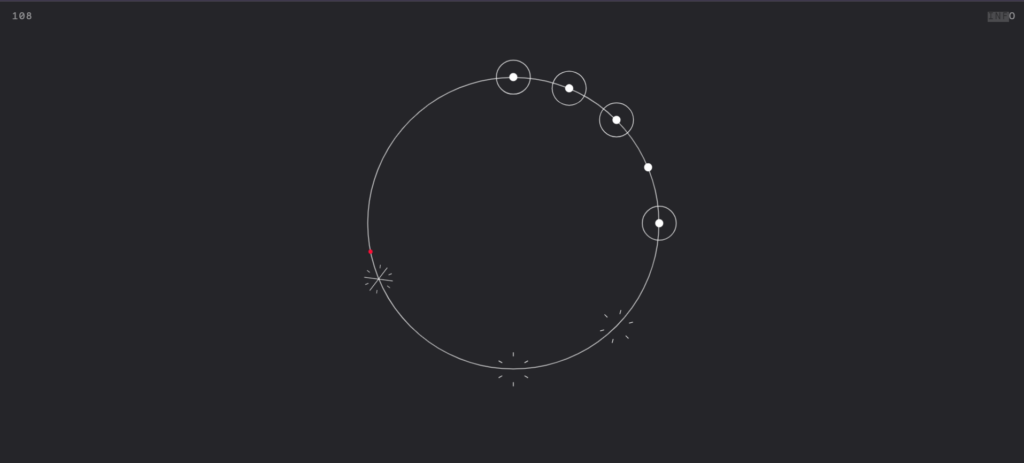
Today’s daily create challenged me to make my own beats, using the 108 website. I had never done this before, so it was an interesting experience. It was definitely much harder than I thought it would be – not making the beats themselves- but just actually making good beats. Anyways, this is what I was able to come up with: https://martinwecke.de/108/If anyone’s interested in adding some lyrics to my beat, drop a comment, and we’ll get in the studio. I’ve also included a screenshot of the visual representation of my beats.

#tdc4304 #ds106 #ds106 Your Words as Music

Today’s daily create challenged me to make music using regular words. Just type up words, and the website turns them into some type of Jazz. Funny enough, jazz is one of the genres of music I listen to the most, so this was extra exciting for me. I decided to type the story of a man I met on the beach while I was on the beach. He was a very unique and memorable character – he gave me goggles to see the fish, gifted me the most beautiful shell, and scared the heck out of me. It’s a memory I hope not to forget, hence why I chose to turn it into music. This is my piece of jazz( pay no attention to the creative process, please:) ) https://jazzkeys.plan8.co/?msg=dddc8371-ecff-4858-9fa1-e1d8831fb504

#tdc5008 #ds106 Make an Audio Quote

For today’s daily create, I made an audio quote- an audible recording of a quote. I’ll let the audio recording pass along the message for this daily create, hence the short write-up. But I really like the concept of this daily create; it’s the perfect opportunity to spread more positivity in the world. Without further ado, here is my audio quote: View on Vocaroo >>

Daily Creates May 18 – 24

SUMMARY

Doing all these Daily Creates this week really showed me how useful it is to experiment with different types of media, and it also made me notice how some parts of Mayer’s multimedia learning theory showed up without me even trying. Visualizing the music connected to the coherence principle because the tool focused only on the sound and the image it created, which made it easier to pay attention to what actually mattered. The Nostalgia Machine reminded me of the pre‑training principle since it used songs I already knew, and that familiarity made it easier to connect new feelings and memories to something I recognized. And the pronunciation task fit naturally with the modality principle because hearing the word out loud then trying to say it myself made it way easier to process than just reading the spelling. Doing these activities made me realize how different media can shape understanding in simple, everyday ways.

How This Helps Me Design Better Tools

When I think about designing educational tools, this week’s Daily Creates gave me a clearer idea of what actually works in practice. Trying out things like visualizing music, playing with nostalgia, and even pronouncing a complicated word showed me how much people learn when the media feels meaningful and easy to connect with. I’d want to use that same approach by choosing visuals, sounds, or examples that actually support the message instead of distracting from it, which lines up with the coherence principle. The Nostalgia Machine reminded me how helpful it is when learners start with something familiar, which connects to the pre‑training principle- giving people a base to build on makes new information easier to understand. And the pronunciation task showed me how useful audio can be for things that text alone can’t really explain, which fits the modality principle. Putting all of that together, I can see myself designing tools that mix simple visuals, clear audio, and relatable examples so learning feels more natural and easier to follow.

#tdc5206 #ds106 #dailycreate Visualize The Music

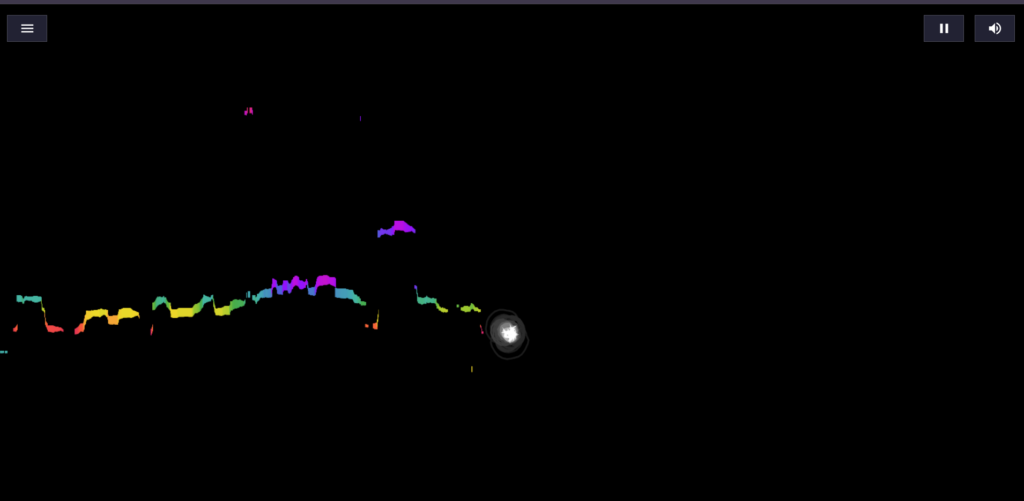
This daily create prompted users to make visual art from music. Just like a couple of other daily creates, I had no idea this technology was even available. I was able to take a look at a couple of others, and unfortunately, my image is not as “cool” as I expected. But in all, this was fun, and I will definitely be trying this again with more songs. This is my image, I was singing I Get Backing by Victoria Orenze:

#tdc5065 #ds106 Going All Nostalgic On Us

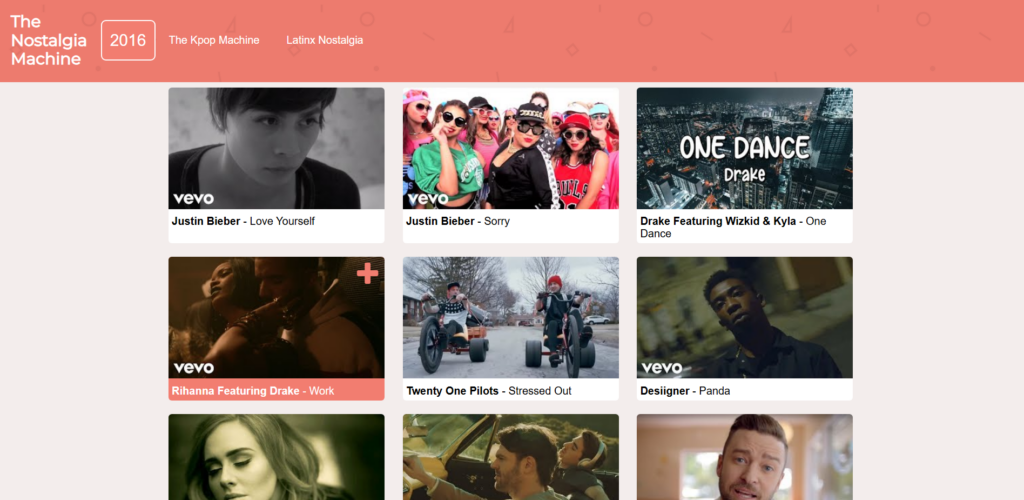
This daily create prompted users to make use of a Nostalgia Machine, all you do is input a year from your childhood, and it displays all kinds of music from then. This definitely took me back. I chose the year 2016 because that truly was the last year I felt like a child – no worries, no problems, just games, family, and TV. The website brought up songs I had not thought of in ages, like Panda by Desiigner and What Do You Mean by Justin Bieber. It reminded me of the videos my sister and I would upload on Musically, now called TikTok; we did not care about being shamed, embarrassed, or “cringe.” I was transported back to a time I almost forgot once existed. I enjoyed this activity and will definitely share this with my sister.

#tdc5142 #ds106 Pronounce This

In this Daily Create, we had to pronounce a word. At first, it seems very trivial- why would this even be a task? Until I saw one of the most complex words I’ve ever seen before, Floccinaucinihilification. I was caught off-guard and immediately burst into laughter. What does the word even mean? According to the Cambridge Dictionary, floccinaucinihilification is the act of considering something to be not at all important or useful. How could such a complex word have such a simple meaning- that’s the beauty of the English Language. I wish I could’ve caught my first attempt at this on video, but this is me after a few tries at it: View on Vocaroo >>

Multimedia Story Draft

For my multimedia story, I will be taking a walk down the Dallas Road Waterfront Trail. I have been there just once before and am still in awe of the vast beauty; I’ll be doing this alone, so I can fully appreciate and journal the experience and its meaning to me. The equipment I’ll need is pretty basic: my journal, a pen ( and a spare, just in case), my phone (for pictures and videos), a snack, water, headphones, and most of all, comfortable shoes. I plan to complete the walk in the late afternoon, closer to sunset, so I can experience the changing light. Additionally, the cooler evening weather will make the walk more comfortable, while the sunset will add a calm, reflective atmosphere to my story.

I chose to go to Dallas Road because, after careful consideration, it seemed like the best fit in terms of price, realism, and experience. I first considered a day trip to Vancouver, but concluded that it was too expensive. I then considered going on a hike, but soon realized that actually completing the hike may be energy-consuming and not give me the chance to document as efficiently. I finally decided to do something I genuinely enjoy, just going on a walk. I was so caught up in trying to plan something extravagant at first, but then I realized this is exactly the kind of adventure I’d enjoy the most. Dallas Road first came to mind – it’s scenic, nearby, and easy to access.

To effectively shape my story, I will use several key factors for good storytelling. I will use descriptive language, so the reader may immerse themselves in the journey, giving them the chance to envision Dallas Road for themselves. I will also be very intentional with my tone and the mood I’m setting; I want to carry the reader along with me on this journey, so I’ll put effort into using the right words to convey the moment.

To help guide the reader, I’ll include a simple map of the Dallas Road Waterfront Trail at the beginning of my story. This will give context for where the walk takes place and help the reader follow along as I move through each section. After the map, I’ll start by briefly explaining why I chose Dallas Road and what I hoped to get out of the walk. I’ll also outline my plan, how long I expect to spend exploring, and what I want to pay attention to along the way. From there, the main storyline will unfold, where I’ll write about my experience. Here, I’ll include the pictures and videos I take, any interesting encounters I have, and describe certain moments and how I felt in them. Finally, to conclude my story, I’ll share my honest opinion on the whole experience, whether it was enjoyable, what I learned, and what surprised me along the way. I’ll also mention anything I might do differently next time and offer a few tips for anyone who wants to visit Dallas Road themselves. Throughout the whole piece, I’ll be using Mayer’s Segmenting Principle to guide the structure, breaking everything into clear, easy‑to‑follow sections so it feels organized and intentional.

For my media, I will primarily use video, text, and images; however, I may include a song or two that I listened to on the walk (I’ll probably just state the names rather than including audio). To ensure the media aligns with Mayer’s Principles of Multimedia Learning, I will be as clear as possible when using images and text. Directly below each image, I’ll include a straightforward label of what exactly is captured. I’ll be careful to avoid unnecessary or distracting media by making sure everything I include directly supports the mood and meaning of my walk. I’ll also be writing in first-person — I want the reader to connect with my experience. All this will keep me in line with Mayer’s coherence, redundancy, contiguity, and personalization principles, as I aim to reduce cognitive load. In my writing, I’ll make sure to apply everything I’ve learned about storytelling and effective learning so the reader can move through the experience easily and stay engaged.

I chose to use text, video, and images because each one captures a different part of my experience on the Dallas Road Waterfront Trail. Text lets me describe my thoughts and feelings, images show the scenery exactly as I saw it, and video brings the movement and sound of the ocean to life. Together, they make the story more immersive and help the reader connect the moment in a clear, simple way.

One challenge I may face is finding the right words to capture the moment. I feel the best way to overcome this is to study other stories that seem similar to mine and use those as inspiration without changing my own voice. Another challenge I may face is the weather. I have carefully selected the day for my adventure in hopes of minimizing this risk, and I am relying on the forecast being as accurate as possible.

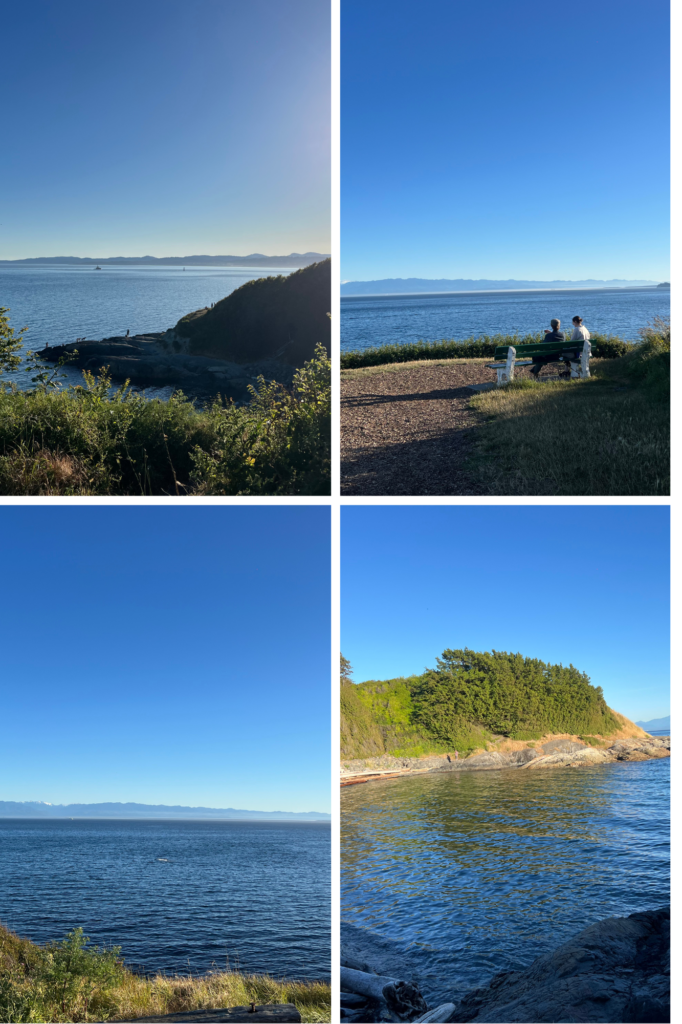
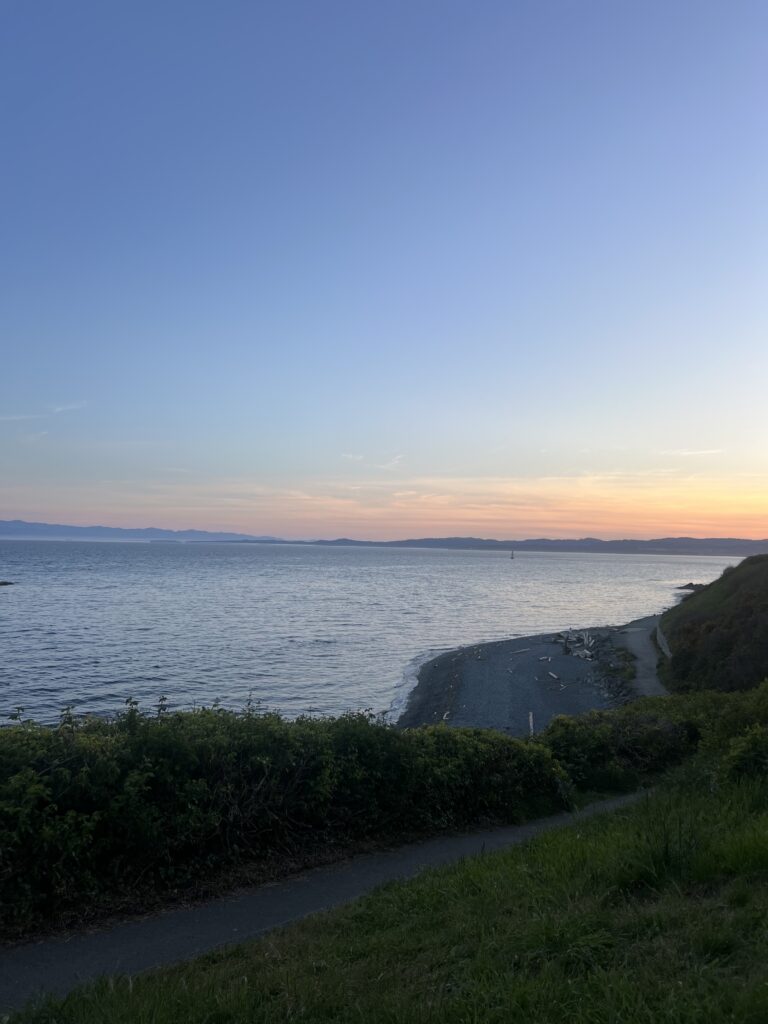
I’ve included a picture from my past visit to Dallas Road to give some insight into what my media may look like.

Daily Creates- May 11- 17th

SUMMARY

Doing the Daily Creates this week really showed me how different types of media can shape the way we understand things. When I tried to describe silence, I had to pay attention to the feeling of it and cut out anything that didn’t belong. That connects to the coherence principle because it reminded me how much clearer something becomes when you remove extra details that don’t help the message. The text‑weaving activity had me take a quote I already knew and turn it into something visual, and doing that made me think harder about what the words were actually saying. That fits with generative processing since the whole point is that you learn more when you transform information instead of just reading it. Creating a four‑word dystopia made me rely on my own voice and the feeling behind the words, which connects to the personalization principle because it showed me how using natural, personal language can make an idea easier to understand. Doing these tasks helped me see how each mode of expression changes the way a message comes across, and how Mayer’s ideas show up even in small creative moments.

Applying These Ideas to My Own Designs

When I think about designing educational tools, these activities gave me a clearer sense of what actually helps people learn. The coherence principle reminded me to keep things simple and avoid adding extra content that doesn’t support the main idea. Generative processing showed me the value of giving learners short, creative prompts that make them think and interpret instead of just receiving information. And the personalization principle made me realize how important it is to let learners bring their own voice, experiences, or examples into the process. Putting all of that together, I can see myself designing tools that use clear visuals, meaningful prompts, and space for personal expression so learning feels more engaging, more flexible, and easier to connect with.

#tdc5185 #ds106 #dailycreate Describe in writing for someone who cannot hear, the feeling of silence

For today’s daily create, we were asked to describe silence to someone who hears no sound. I had never thought of this before, so it took me some time and deep searching. Thi sis what I was able to come up with 

“Silence is absence; to some, silence is loneliness. 

Just like when you close your eyes, and there’s no one in the room. In that moment, it’s only you – no distractions, no outside influence. Just you with your inner thoughts, a chance to explore the deep corners of your mind. ” 

It is not the best description, but it was my best attempt to put my ideas into words. While this description does not fully convey the totality of what silence may truly be, it gives some insight into how I view silence. As someone who is always looking for the next thing to do, silence can sometimes mean just loneliness. 

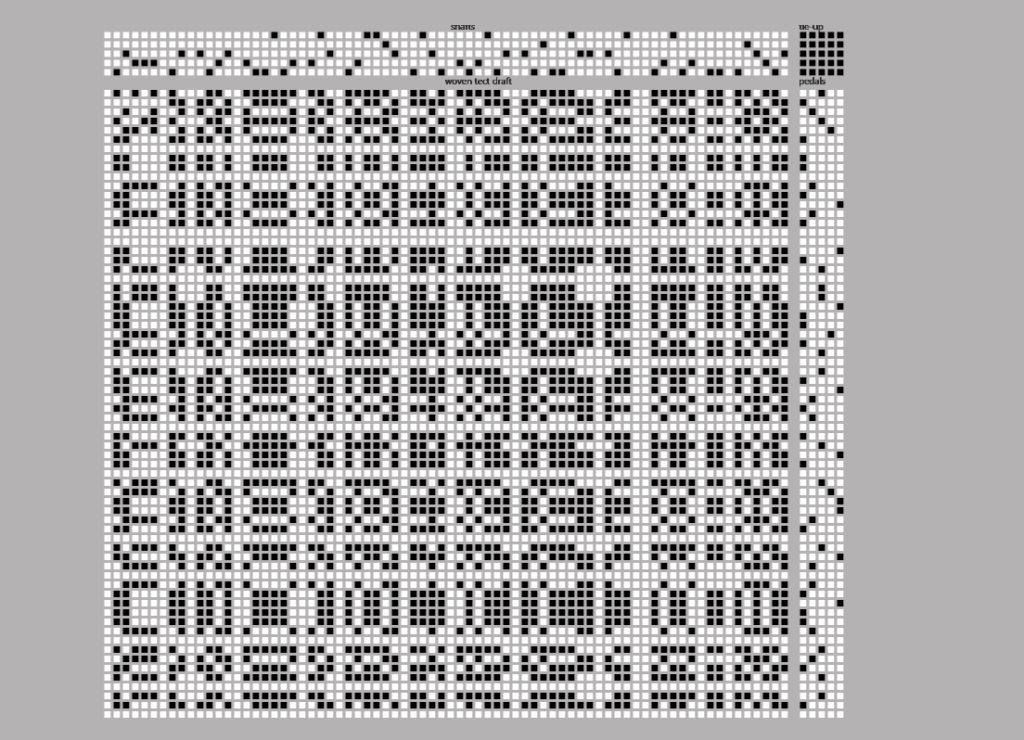
#tdc5194 #ds106 #dailycreate Text Weave

In today’s daily create, we were asked to use this site to “weave the web of words.” I was quite fascinated by this task and the technology behind it. I never knew I could weave words – the only thing that comes to mind when I hear the word “weave” is my hair. In all, it was a fun task. The site also gives a good explanation of the concept behind text weaving. Below is my text weave and what I wrote

“When there is life, there is hope” – This was said by a Mulikat Okanlawan, a Noma Survivor who now advocates for people who may struggle with the disease – showing them that there is life after Noma. I casually came across her story while searching for a research article to study; for whatever reason, that clause has stayed with me ever since.

#tdc5212 #ds106 #dailycreate 6 Word Stories, Easy… Do 4 Word Dystopias

In today’s daily create, we were asked to create 4 word dystopias, quite similar to  Hemingway and his six words on baby shoes.

Now, I say this with shame, I had never heard of Hemingway’s six words on baby shoes until 30 minutes ago. But it was very interesting to read about, especially because it is speculated that the story was misattributed to him; he was 7 when the story first appeared!

This daily create made me think deep into what a dystopian society would look like to me. It was filled with hunger, pollution, desperation, and lawlessness. Honestly, it’s not so far from what happens today, in certain parts of the world. But, this is what I came up with: “Last one, need water.”

This is Teniola

Hi there! Here’s a bit about me.

My name is Oluwateniola Olukareh, and I was born and raised in Abuja, Nigeria, but I currently live in Victoria, BC, on the traditional territories of the Coast Salish peoples, including the Songhees, Esquimalt, W̱SÁNEĆ, and Sc’ianew Nations. Before transferring to UVic to complete my Bachelor of Science degree, I was actually in a 6-year MD program in the Caribbean, specifically the islands of St Kitts & Nevis and Antigua & Barbuda.

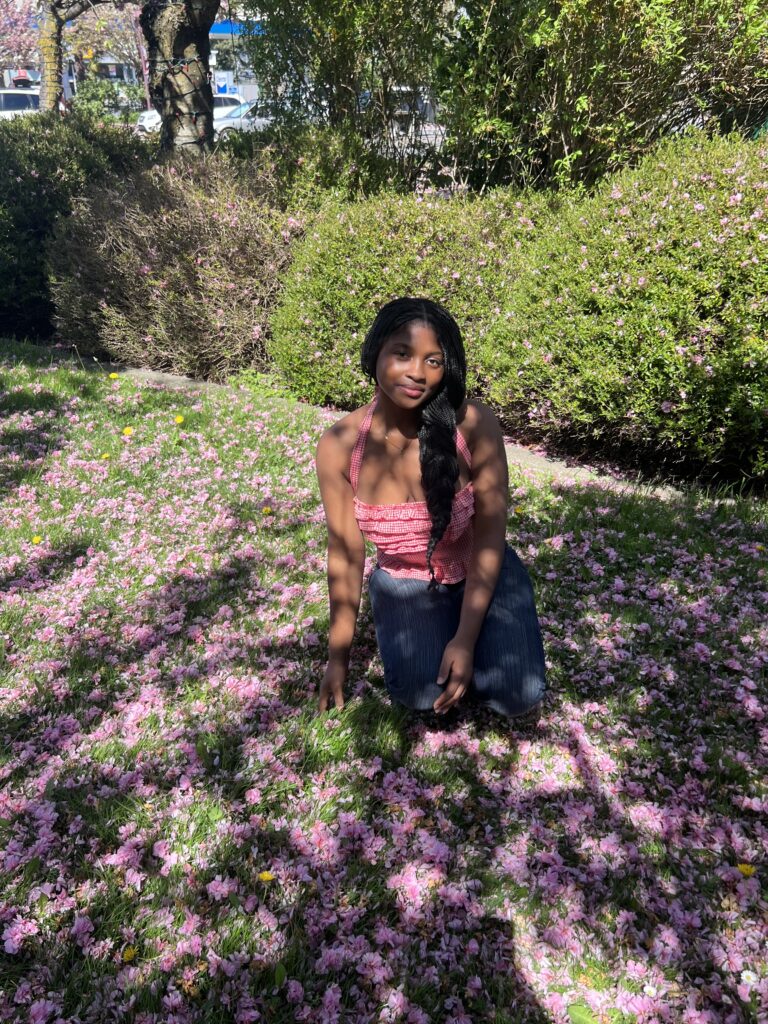
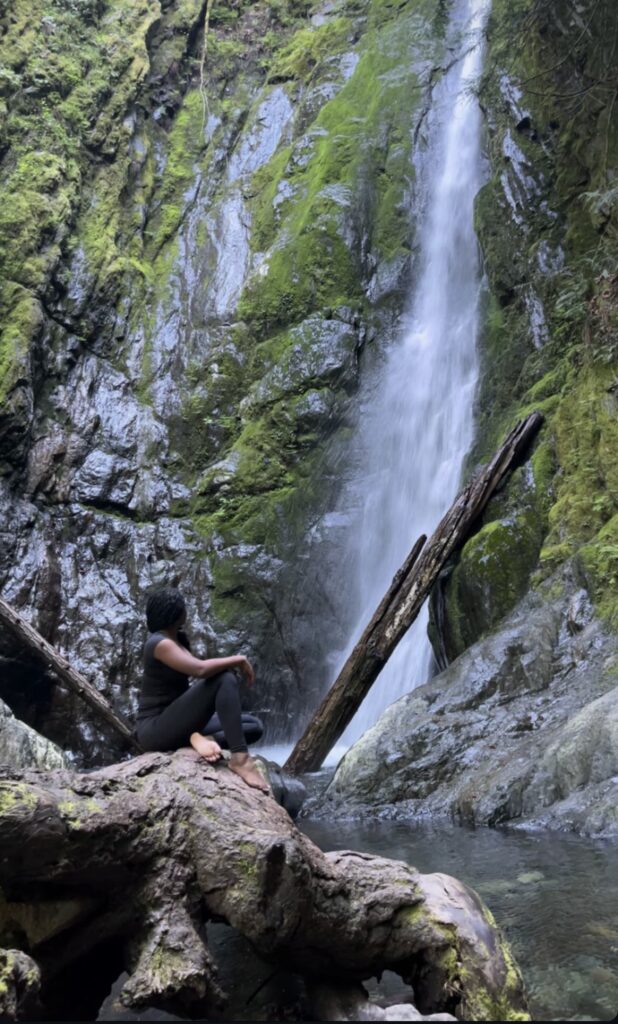
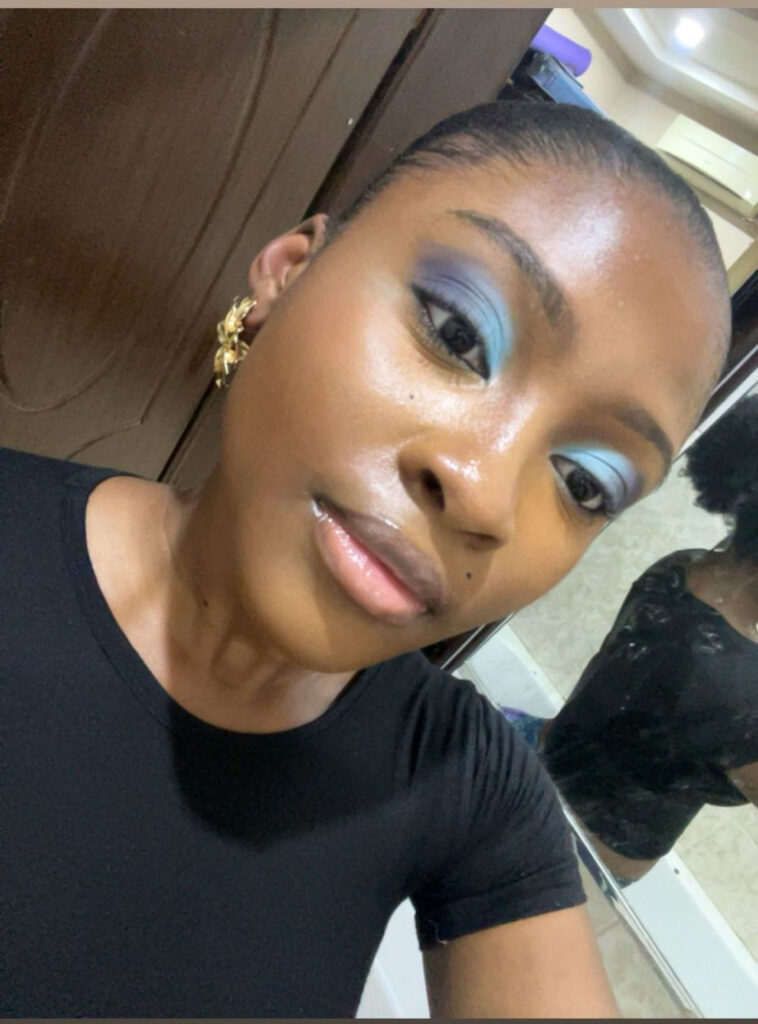
I’m someone who’s happiest outdoors, whether I’m hiking, taking long walks, or just sitting still and soaking in the beauty around me. Anything that lets me be outside (BESIDES CAMPING), I’m in. I’m also really into makeup; I love creating fun, colourful looks and playing around with different styles, it’s one of my favourite creative outlets. Another fun fact: I’ve played the violin since I was 4 years old. I absolutely adore the sound of instruments (could you guess what my favourite genre of music is?), and hope to learn the piano soon.

I grew up with lots of animals. My family back home currently has 6 dogs and 1 cat ( Yes, it can get a bit hectic). I actually volunteered with a pet shelter back in Nigeria, but I’m yet to find one here. If anyone has any ideas, please let me know! Volunteering is actually another thing I’m pretty passionate about; it’s surprising how much we could do for our community with skills we consider quite “basic”.

I’m taking this class because I want to fully immerse myself in the educational experience from the other side. I’ve spent years as the learner, but now I want to understand what it takes to design learning that actually supports students. I’m interested in how we can use digital tools and creative teaching techniques to make education more engaging, more accessible, and more meaningful for everyone.

I’m excited to learn with you all and look forward to all the conversations, ideas, and fascinating things we’ll learn in this class!

© 2026 TENIOLA'S STORY

Theme by Anders NorenUp ↑